BarLock

The barcode alarm that makes you leave bed.

Choose an item, arm your alarm, then scan that barcode or QR code to dismiss it. If you stop early, BarLock can ring again.
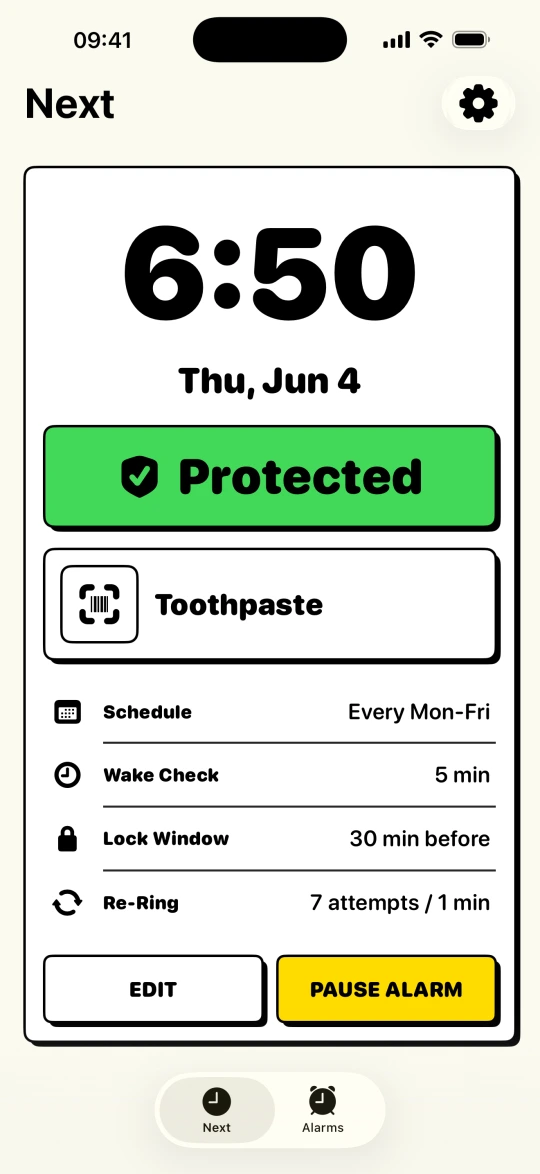
BarLock Next screen showing a protected 6:00 AM barcode alarm

An app unlike your snooze button.

Open BarLock and the Next screen shows which alarm is protected, what item unlocks it, and what happens if you quit early.

BarLock Next screen with protected status, target item, Wake-Up Check, and Tiptoe Mode details
Next alarm
BarLock Add Alarm time step with repeat days and sound selection
Set alarm
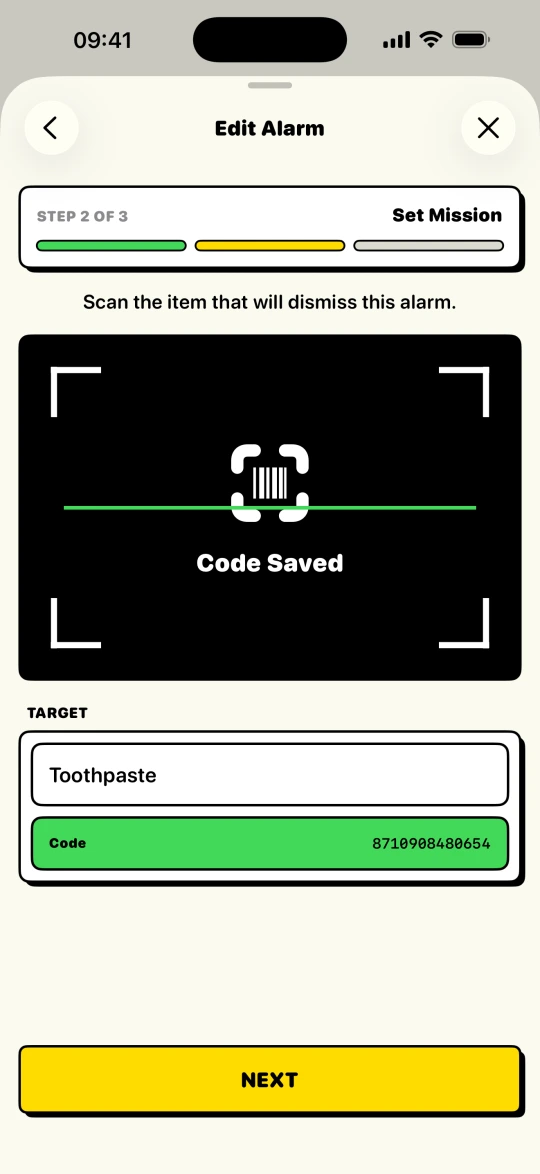
BarLock mission step with a saved barcode code
Set mission
BarLock rules step with Lock Window, Backup Alerts, Wake-Up Check, and Tiptoe Mode controls
Set rules
Mission alarm

Pick a real object. Make your morning prove it.

Scan toothpaste, coffee, a book, or any QR code you choose. BarLock treats that physical item as the stop condition.

Code saved
BarLock mission setup screen showing a saved barcode target
AlarmKit first

Built around iOS system alarms, not hopeful background timers.

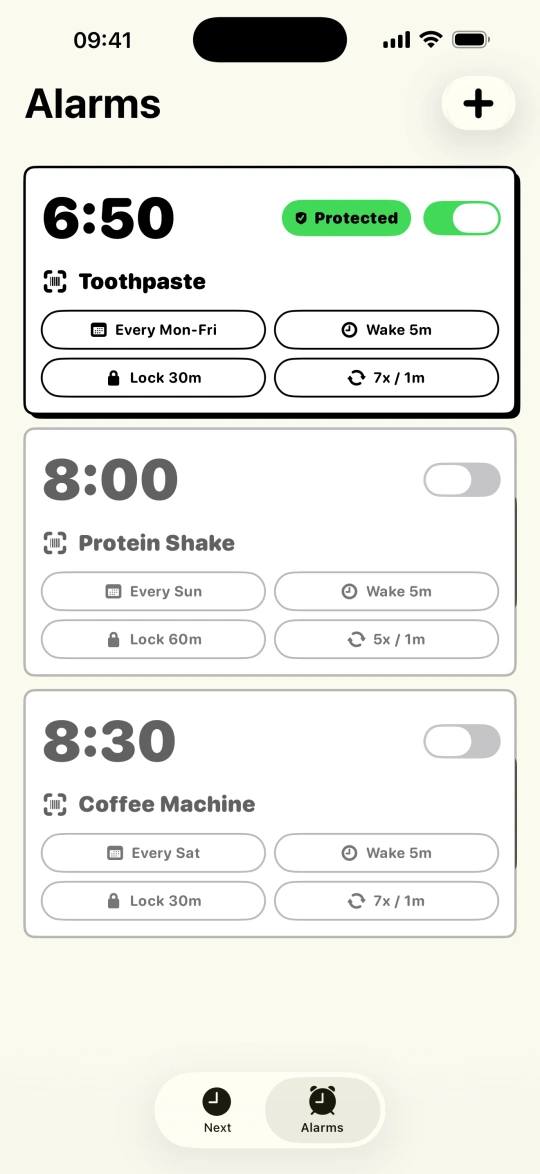
BarLock uses iOS alarm permissions for protected alarms, then opens the scanner flow when it is time to prove you moved.

Protected
BarLock alarm list with two protected weekday alarms
Harder to outsmart

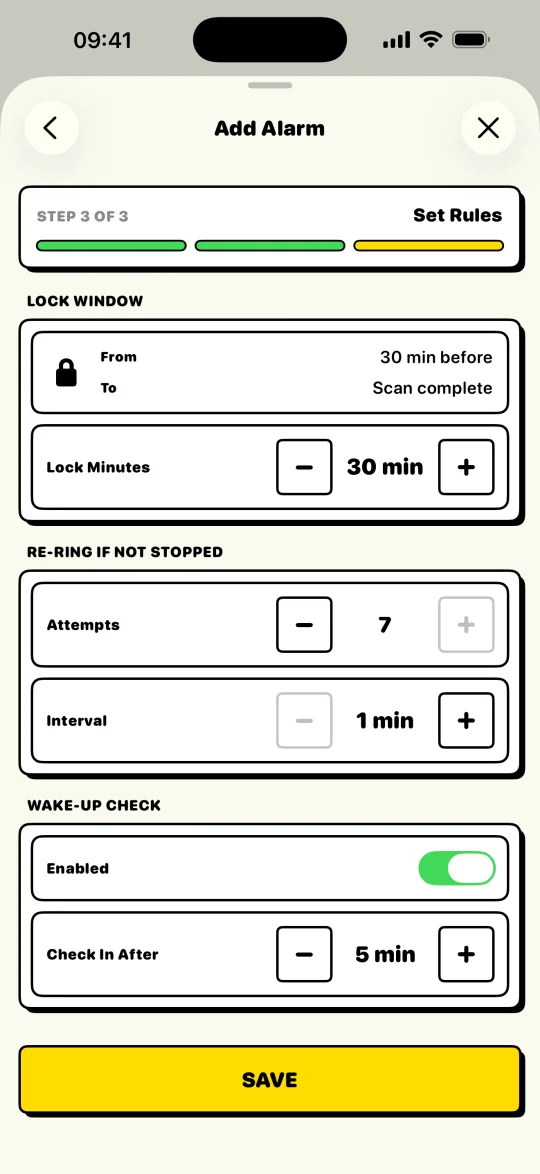
Lock edits, ring again after a stop, then check in again.

Set a Lock Window before the alarm, Backup Alerts after early stops, and a Wake-Up Check after the barcode mission is done.

Rules armed
BarLock rules screen with Lock Window, Backup Alerts, Wake-Up Check, and Tiptoe Mode controls
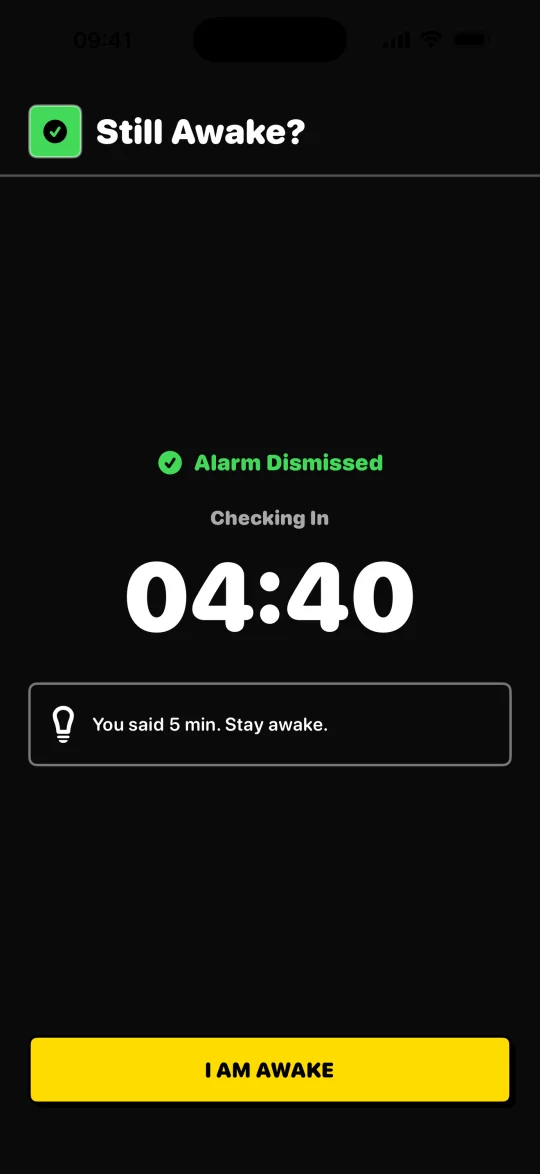
Wake-Up Check

Stopping the alarm is not the same as staying awake.

After the scan, BarLock can check in again with a countdown so the morning does not end back in bed.

I am awake
BarLock Wake-Up Check screen with a five minute countdown
Tiptoe Mode

Get up on time. Let everyone else sleep through it.

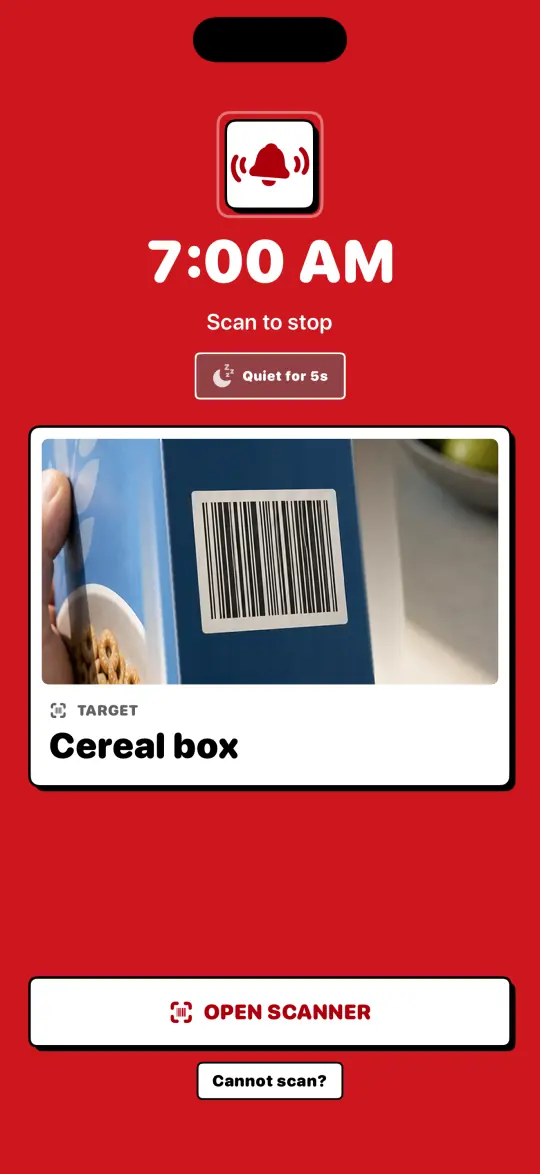
Press Stop and the alarm goes quiet for a few seconds while you reach the scan target. Scan in time and nobody else hears a thing. Miss the window and full volume comes back.

Quiet for 5s
BarLock Next screen with Tiptoe Mode set to a 5 second quiet window

What happens after the alarm rings matters most.

Lock Window

Protect the alarm before it rings so half-awake edits do not become an escape route.

Physical checkpoint

Put the target across the room, by the sink, near your bag, or wherever the morning should actually start.

Backup Alerts

If the alarm is stopped before the mission is complete, BarLock rings again instead of trusting sleepy intent.

Pro controls

Lifetime Pro adds unlimited protected alarms, Tiptoe Mode, and your own Lock Window, Backup Alerts, and Wake-Up Check settings.

Feature set

Focused beats bloated.

BarLock keeps the job small: set the alarm, choose the item, scan it when it rings, confirm you stayed awake, then get on with the morning.

Barcode and QR mission setup
AlarmKit permission status
Saved protected alarms
Custom repeat days
Wake-Up Check after dismissal
Backup Alerts after an early stop
Lock Window protection
Tiptoe Mode for shared bedrooms
Premium Pro sounds
No account required

Built for your kind of morning.

Every routine uses the same mechanic, but the setup changes with the morning. Pick the page closest to yours.

More control for serious routines.

The Pro tier expands BarLock when one protected alarm is not enough: unlimited alarms, Tiptoe Mode, and your own Lock Window, Backup Alerts, and Wake-Up Check settings.

Lifetime Pro

Unlimited alarms, Tiptoe Mode, your own rules, and every alarm sound for routines that need more than the basics.

  • Unlimited protected alarms
  • Tiptoe Mode
  • 5 min to 3 hr Lock Window
  • Adjustable Backup Alerts
  • Custom Wake-Up Check controls
  • Every alarm sound

Questions before you trust an alarm app.

Answers about the core barcode alarm routine, Lifetime Pro, iOS support, scanning targets, and how BarLock differs from the built-in Clock app.

Stop negotiating with snooze.

BarLock turns an alarm into a physical checkpoint.