Routine
A no-snooze alarm app that ends across the room
BarLock is built for mornings where the alarm should end at a real checkpoint, not at the same screen that woke you.
For anyone who wants fewer tap-to-dismiss loops and a clearer first action.
Why it fits
Make dismissal prove movement.
A no-snooze routine works best when it is simple, physical, and chosen before the morning starts.
The problem
Why snooze wins the negotiation
Snooze is engineered to be the easiest choice in the room: one large button, zero cost now, all cost later. The dozing itself is not the damage. The tap is. Every tap on a ringing alarm teaches you that the sound is an opening bid, and by the third one the last alarm has no more authority than the first.
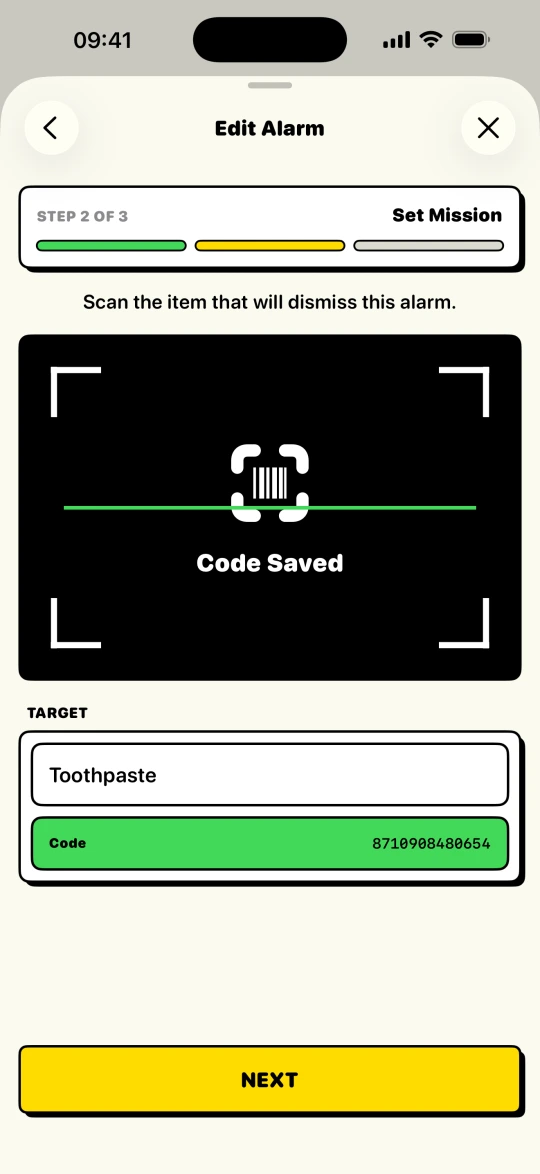
BarLock does not offer a smaller snooze button. It removes the negotiation. The alarm ends at a barcode or QR code you placed across the room, so the lazy option and the correct option become the same action: get up and walk. If you try to end the alarm without scanning, Backup Alerts bring it back. Unlike snooze, that retry runs on the app's terms, not yours.
The rest of the routine closes the side doors. A Lock Window keeps the mission from being edited away the night before. The Wake-Up Check confirms, minutes after the scan, that dismissing the alarm turned into being awake rather than a detour on the way back to bed. And for the person sharing the room, Tiptoe Mode keeps the alarm quiet for a few seconds after Stop, just long enough to reach the scan target without a fight.
Scan targets
Put the checkpoint where the day starts.
Setup flow
Keep the routine short.
- 1Choose one target that cannot be reached from bed.
- 2Set the mission before bedtime, not in the morning.
- 3Protect the alarm with a Lock Window.
- 4Use Backup Alerts and a Wake-Up Check if you tend to stop alarms too early.
- 5Turn on Tiptoe Mode if someone else sleeps in the room.
Controls
The settings that make it practical.
Simple mission
Protected edit window
Follow-up check
Tiptoe Mode
FAQ
Questions for this routine.
Is BarLock a no-snooze alarm?
BarLock is a barcode alarm. It supports a no-snooze routine by requiring a scan and, with Backup Alerts on, ringing again after early stops.
Can I still choose when BarLock rings?
Yes. You set the alarm time, repeat days, sound, mission, and routine controls.
What makes the routine harder to bypass?
The scan target, Lock Window, Backup Alerts, and Wake-Up Check work together to make dismissal require more than a tap.
Related routines
Keep exploring BarLock setups.
Heavy sleepers
A barcode alarm routine for people who can dismiss a normal alarm before they are really awake.
Use caseADHD mornings
A concrete iPhone alarm flow for mornings that need fewer decisions and more structure.
FeatureQR code alarm
A QR scan alarm setup for people who want to print their own physical checkpoint.