Use case
An ADHD alarm clock app that makes the first step concrete
BarLock keeps the morning sequence concrete: hear the alarm, go to the chosen object, scan it, and confirm you stayed up.
For people who need a clear physical cue instead of another soft reminder.
Why it fits
Make dismissal prove movement.
The scan target makes the next step visible before the morning starts, so there are fewer choices to make when the alarm rings.
The problem
Fewer decisions between waking and starting
The hardest part of an ADHD morning is often not waking up. It is the unstructured gap right after, when the day is a pile of possible next actions and none of them is obviously first. A normal alarm ends inside that gap. BarLock ends somewhere specific: at the toothpaste, the water bottle, the planner, wherever you attached the scan target.
That placement decision happens the night before, when planning is easier. In the morning there is nothing left to decide. The alarm rings, the screen names the mission, and the body follows a route it already knows. It is the same externalizing move that makes checklists and launch pads work: take the sequencing out of your head and put it in the room.
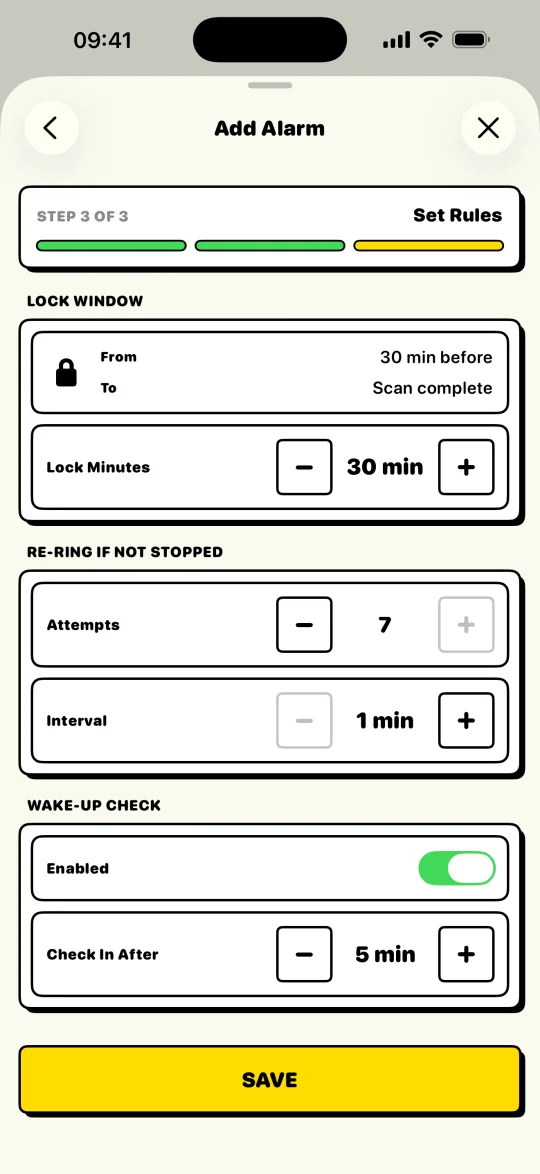
BarLock also protects the plan from late-night edits. A Lock Window can freeze the alarm before bedtime, so 1 a.m. optimism cannot quietly delete the 7 a.m. plan. And if the morning still wobbles, the Wake-Up Check asks for one more confirmation before it lets the routine go.
Scan targets
Put the checkpoint where the day starts.
Setup flow
Keep the routine short.
- 1Choose one target that connects to the first task of the day.
- 2Name the mission so the alarm tells you exactly what to scan.
- 3Keep repeat days predictable for school, work, or workout blocks.
- 4Use the Wake-Up Check as a second prompt after the scan is done.
Controls
The settings that make it practical.
Mission label
Repeat days
Pro controls
FAQ
Questions for this routine.
Is BarLock built only for ADHD?
No. BarLock is a barcode alarm for iPhone. It can be useful for ADHD mornings because it turns dismissal into a physical, visible action.
Can I use a printed QR code?
Yes. You can use a barcode or QR code, including a printed code placed where the routine should begin.
Does BarLock require an account?
No. BarLock does not require an account for the core alarm routine.
Related routines
Keep exploring BarLock setups.
No-snooze routines
A stricter alarm flow for people who want the morning to start somewhere other than bed.
Use caseStudents
A barcode alarm setup for class days, study blocks, and dorm mornings.
FeatureQR code alarm
A QR scan alarm setup for people who want to print their own physical checkpoint.