Use case
An alarm app for students who sleep through class
BarLock turns a class alarm into a walk across the room, not another screen to dismiss from bed.
For class schedules, study mornings, exams, labs, and early campus commitments.
Why it fits
Make dismissal prove movement.
A scan mission works best when the target is attached to the next action: getting dressed, opening a bag, or leaving the room.
The problem
Dorm rooms are optimized for going back to bed
A student schedule is the worst case for ordinary alarms: late nights, irregular sleep, an 8 a.m. lecture two days a week, and a bed that sits three steps from everything you own. When the distance between asleep and dismissed is one arm's length, the snooze loop wins more mornings than it loses.
BarLock changes the geometry. Stick a printed QR code by the door, use the barcode on a textbook, or tag your backpack, and the alarm cannot end until you are standing at that spot. In a small room even a short forced walk is enough to break the automatic reach-and-dismiss.
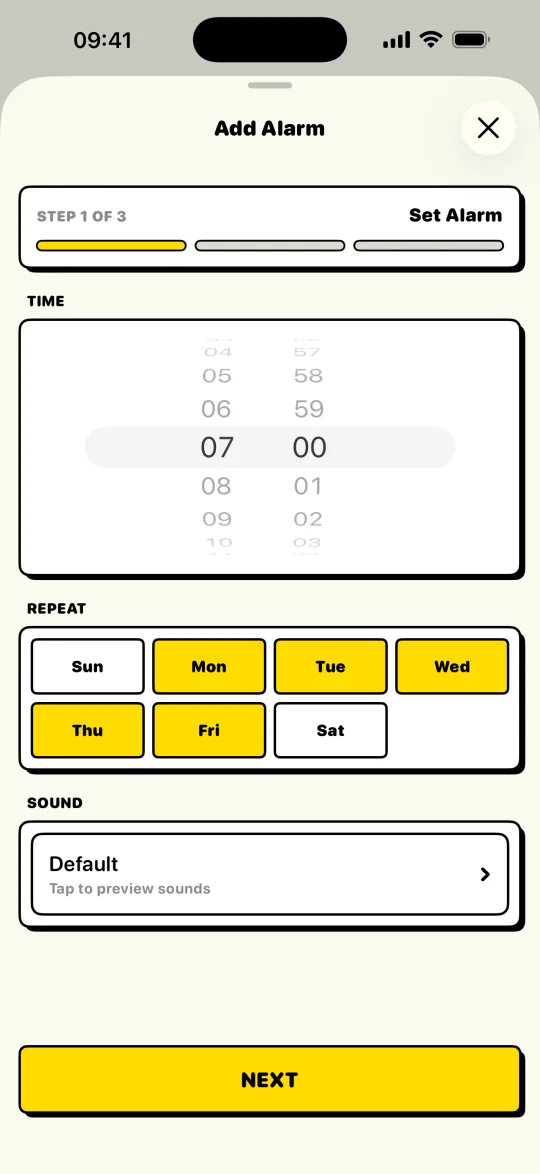
Separate repeat schedules keep Monday-Wednesday-Friday alarms apart from weekend ones, so you are not re-editing a single alarm every night, and the wake-ups that matter stay protected while flexible days stay flexible. On exam mornings, add the Wake-Up Check: one more confirmation a few minutes after the scan, in case the desk chair turns back into a pillow. In a shared room, Tiptoe Mode keeps the alarm quiet for a few seconds after Stop, long enough to reach the code by the door without waking a roommate.
Scan targets
Put the checkpoint where the day starts.
Setup flow
Keep the routine short.
- 1Create separate alarms for class days and off days.
- 2Put the scan target near the bag, desk, or door.
- 3Use a mission label that names the class or commitment.
- 4Turn on the Wake-Up Check for mornings when getting back in bed is likely.
- 5Turn on Tiptoe Mode in a shared dorm room so the alarm goes quiet the moment you hit Stop.
Controls
The settings that make it practical.
Repeat schedule
Physical target
Protected alarms
FAQ
Questions for this routine.
Can students use BarLock in a dorm?
Yes. Choose a scan target that is nearby but not reachable from bed, such as a desk item, backpack tag, or QR code by the door.
Can I set different alarms for different class days?
Yes. BarLock supports repeat days, and Pro expands the number of protected alarms for more complex schedules.
Does the scan target need to be a product barcode?
No. A QR code works too, including a code you print for a desk, wall, or door.
Related routines
Keep exploring BarLock setups.
ADHD mornings
A concrete iPhone alarm flow for mornings that need fewer decisions and more structure.
FeatureQR code alarm
A QR scan alarm setup for people who want to print their own physical checkpoint.
Use caseHeavy sleepers
A barcode alarm routine for people who can dismiss a normal alarm before they are really awake.