Feature
QR code alarm app for iPhone
BarLock can use a QR code as the physical key that dismisses a protected iPhone alarm.
For routines where a printed code is easier than using an existing product barcode.
Why it fits
Make dismissal prove movement.
A QR code can live exactly where you want the alarm to end: by the sink, desk, coffee area, workout gear, or door.
The problem
A checkpoint you can print
Product barcodes are convenient, but they have opinions about where they live. The toothpaste moves, the coffee bag gets recycled, the label wraps around a curve that scans poorly in dim light. A printed QR code has none of those problems: it is flat, high contrast, and it stays exactly where you taped it.
That makes QR codes the flexible option for alarm placement. Print one for the bathroom mirror, one for the kitchen, one for the front door, and point different alarms at different codes. Weekday alarms can end at the coffee grinder while the Saturday-run alarm ends at the shoe rack.
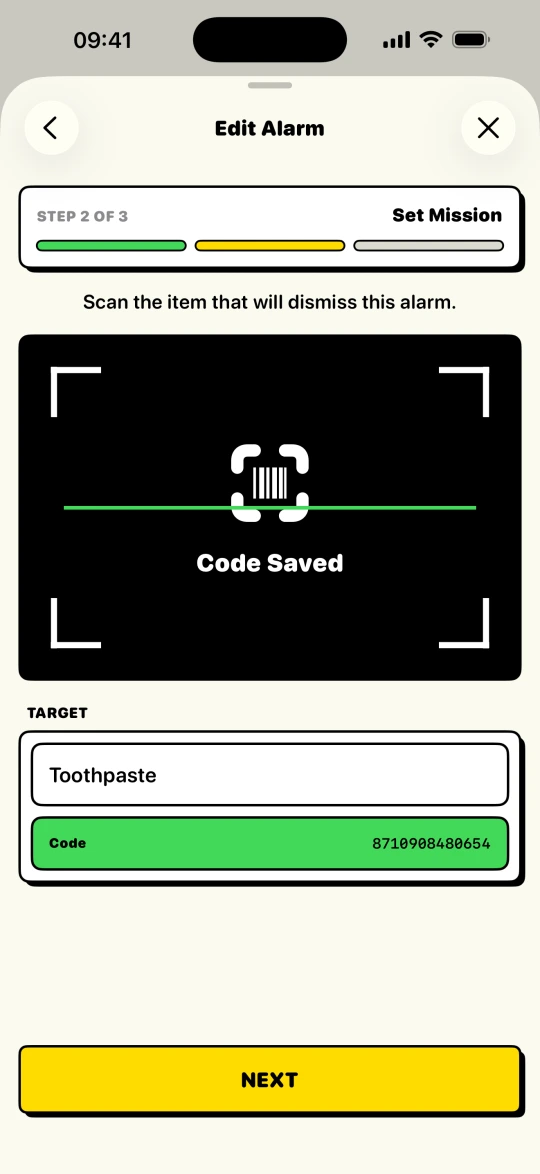
Any QR code works as long as it scans reliably, so test it once where it hangs: same wall, same morning light. BarLock verifies the scan against the exact code saved for that alarm, so a random code on a roommate's cereal box will not end the mission early.
Scan targets
Put the checkpoint where the day starts.
Setup flow
Keep the routine short.
- 1Print or place a QR code where the morning should start.
- 2Save it as the scan mission for the alarm.
- 3Confirm the target is readable in the room's morning light.
- 4Use the same code for one alarm or create different codes for different routines.
Controls
The settings that make it practical.
Flexible target
Mission check
Routine variety
FAQ
Questions for this routine.
Can BarLock use QR codes?
Yes. BarLock supports barcode and QR scan missions for protected iPhone alarms.
Do I need to buy a special QR code?
No. You can use a printed QR code if it scans reliably in the place you put it.
Can one QR code work for multiple alarms?
Yes, but separate targets can make different routines clearer when each alarm has a different purpose.
Related routines
Keep exploring BarLock setups.
Barcode alarm clock
A focused iOS alarm clock that uses a real barcode or QR scan as the dismissal mission.
RoutineNo-snooze routines
A stricter alarm flow for people who want the morning to start somewhere other than bed.
Use caseStudents
A barcode alarm setup for class days, study blocks, and dorm mornings.